Designed for the Shop Floor
- My Role
- Lead UX Designer
- Timeline
- 2025 – 26
- Key Metric
- 2
- Platforms designed in parallel — desktop Storemanager-MFE (Fractal) and tablet (Wakemaker)
Core challenge
Retail · Associate Tools
At a glance
Final solution at a glance
2
Platforms designed in parallel — desktop Storemanager-MFE (Fractal) and tablet (Wakemaker)
0→1
First unified compliance workflow product connecting both sides of the operation
1
External agency directed via design system requirements for net-new device category
3
Success metrics defined: compliance accuracy, task completion time, manager review turnaround
01 — The Problem
Retail compliance isn't a back-office problem — it happens on the floor, in real time.
In large retail operations, store compliance — planogram adherence, promotional execution, inventory accuracy, shelf audits — is managed through a constant cycle of task assignment, on-floor execution, photo documentation, and manager review. The people executing those tasks are hourly associates: often no retail background, high turnover, no time for training, picking up a device and doing the job. The people reviewing and assigning those tasks are store and district managers working across multiple locations simultaneously. This project was built to connect both sides of that workflow in a single, coherent product — across two completely different platforms and two completely different users.
Two users. Two platforms. One broken workflow.
The compliance workflow had no unified product backbone. Associates and managers operated through disconnected systems — task lists lived in one place, photo submissions in another, review and approval in a third. There was no shared state between the shop floor and the manager's desk. Compliance accuracy was unmeasurable in real time. And the associate-facing experience had an additional, non-negotiable constraint: it had to work for someone who had never used the product before, on a device they picked up that morning, with no training and no margin for confusion.
No Unified Task Workflow
Task assignment, on-floor execution, photo documentation, and manager review existed across separate disconnected systems — or through manual communication entirely. There was no single product that connected the full compliance loop from assignment to verified completion.
Zero Training Tolerance on the Associate Side
Hourly associates with high turnover rates had no time for product onboarding. The handheld device experience had to be immediately legible — task visible, action clear, next step obvious — from the first time a new associate picked up the device. Any ambiguity in the flow translated directly into compliance failure on the floor.
No Real-Time Compliance Visibility for Managers
Managers had no way to see live task status across their locations. Compliance accuracy was retrospective — discovered after the fact, through manual checks or audit cycles — rather than visible in real time when corrective action was still possible.
A Net-New Device Category With No Design Precedent
The Wakemaker tablet was a net-new form factor for the product — no existing design system, no established interaction patterns, no internal reference. Design system requirements had to be defined from scratch and handed to an external agency responsible for building the device-side experience.
02 — Role & Process
Designing for two users simultaneously — and defining what an external team would build.
This project required holding two design problems in parallel: a desktop manager experience (Storemanager-MFE) built on Blue Yonder's Fractal Design System for complex task assignment, compliance review, and exception management workflows — and a tablet application built on the Wakemaker platform for associates that had to work with near-zero training overhead. Beyond those two surfaces, a third dimension added organizational complexity: the Wakemaker tablet interface was being built by an external design agency, which meant my role included defining the design system requirements and interaction principles they would implement — not just the screens I was directly building.
Understanding Both Ends of the Workflow
I started by mapping the full compliance loop end-to-end — from task creation by a district manager through assignment, on-floor execution by an associate, photo documentation, submission, and manager review. Understanding the handoff points between personas was as important as understanding each persona individually. Every screen I designed for the manager had a direct consequence on the associate's device — and vice versa.
Designing Around the Associate's Reality
The associate user set a hard design constraint that shaped every decision: no training, high turnover, physical environment, time pressure. I mapped the specific failure modes this created — where ambiguous UI would produce compliance errors on the floor, where extra taps would result in skipped tasks, where unclear photo guidance would produce unusable submissions. Those failure modes became the design brief for the handheld experience.
Building Two Design Systems for Two Platforms
The desktop Storemanager-MFE — built on the Fractal Design System — and the tablet application — built on the Wakemaker platform — required distinct interaction models: different information densities, different action patterns, different visual hierarchies. Yet both had to represent the same underlying compliance data coherently. I designed both surfaces in parallel, continuously pressure-testing decisions on one side against their implications on the other.
Defining What the External Team Would Build
The Wakemaker tablet interface was assigned to an external design agency — a net-new form factor with no existing design system to hand them. My role was to define the design system requirements, interaction principles, component specifications, and behavioral guidelines the agency needed to build a consistent, on-spec experience. This was a design leadership function: translating product intent into a transferable system another team could implement.
Validating the End-to-End Flow
With two platforms and an external implementation team, iteration required coordinating across multiple workstreams simultaneously. Validation focused on the handoff moments — where data created on the manager side surfaced on the associate's device, where submissions from the floor appeared in the manager's review queue, and where the Wakemaker-specific implementation needed alignment with the core Fractal Design System.
03 — Design Decisions
Three decisions that defined the product.
Designing across two platforms — the desktop Storemanager-MFE on the Fractal Design System and the tablet application on the Wakemaker platform — with two user types and one external implementation team meant every major decision had downstream consequences that weren't always visible from a single surface. The three decisions below were the ones that defined the architecture of the entire product.
Immediate Legibility Over Feature Richness — Associate Task List
The task list view for associates was the most consequential screen in the product. It had to communicate everything an associate needed — what to do, where to go, what to photograph, in what order — without a single moment of ambiguity. The design decision was to ruthlessly prioritize immediate legibility over feature richness. One task visible at a time with clear priority sequencing. Action verbs as primary labels, not category names. Photo guidance embedded in the task, not in a separate help flow. Status feedback immediate and unambiguous. Every element on that screen had to earn its place by reducing the chance of a wrong action — not by adding capability. High turnover meant the product could never assume a returning user. Every session was effectively a first session.
Wakemaker Platform Integration as a First-Class Design Constraint
The Wakemaker platform integration — device-specific photo capture, data sync, and submission handling — wasn't a technical afterthought bolted onto a designed experience. It was treated as a first-class design constraint from the start. The photo submission flow was designed around the specific capabilities and limitations of the tablet: how the camera was triggered, how images were processed and transmitted, how submission state was communicated back to the associate when connectivity was inconsistent. Designing around the device's actual behavior — rather than an idealized photo upload experience — was the difference between a flow that worked on the floor and one that worked only in a design review.
Design System Requirements as a Deliverable — Not Just Screens
Handing off the Wakemaker tablet experience to an external design agency meant that screens alone were not a sufficient deliverable. The agency needed a transferable system: component specifications, interaction principles, behavioral guidelines, and device-specific constraints that would allow them to make correct design decisions independently — without requiring constant escalation. Defining those requirements was a distinct design leadership task. It required anticipating the decisions the agency would face, identifying where ambiguity would produce incorrect implementations, and building enough structure into the handoff that the external output would be consistent with the rest of the Fractal-powered product without being micromanaged. The design system requirements document became as important a deliverable as the Figma files themselves.
04 — Key Screens
Two platforms. One connected compliance loop.
Five views across both platforms — from the associate's task list on the handheld device to the manager's compliance review dashboard — showing how the full workflow connects across the organizational boundary.
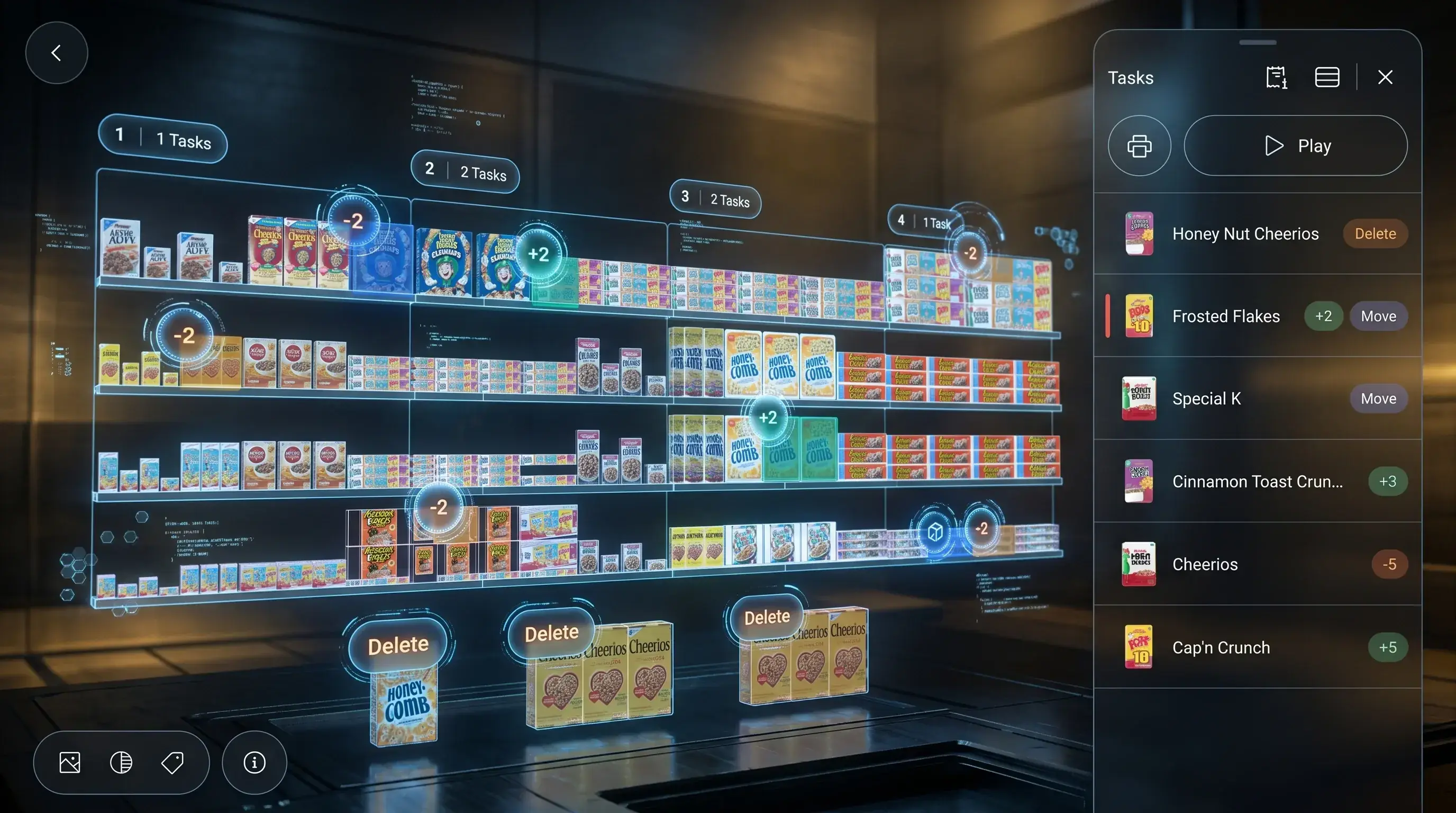
Associate Task List — Handheld Device
The most consequential screen in the product. Designed for an hourly associate picking up the device for the first time — task clear, action obvious, next step unambiguous. Every element present because it prevents a wrong action on the floor.
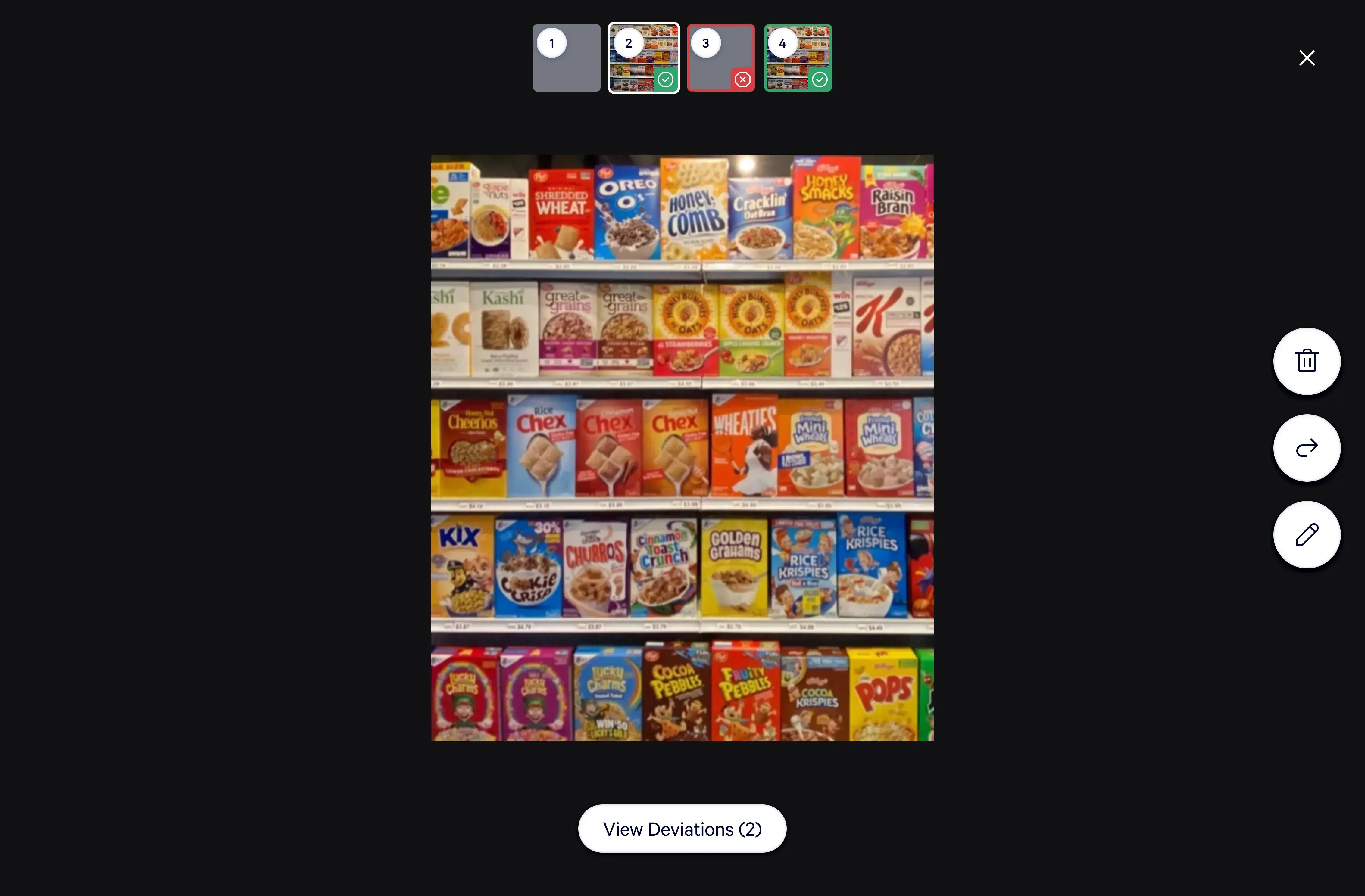
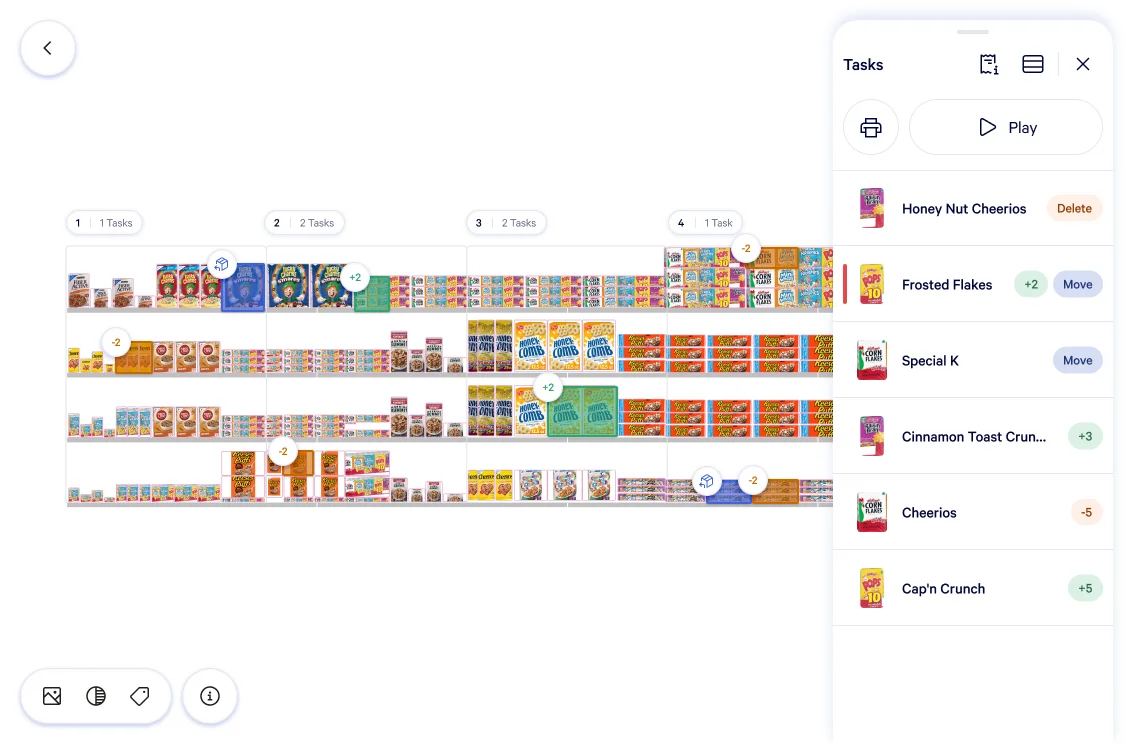
Photo Submission — Wakemaker Integration
The photo submission flow designed around the Wakemaker tablet's specific capabilities — not an idealized upload experience. Connectivity-aware, with embedded guidance from the task and unambiguous submission state feedback for the associate.
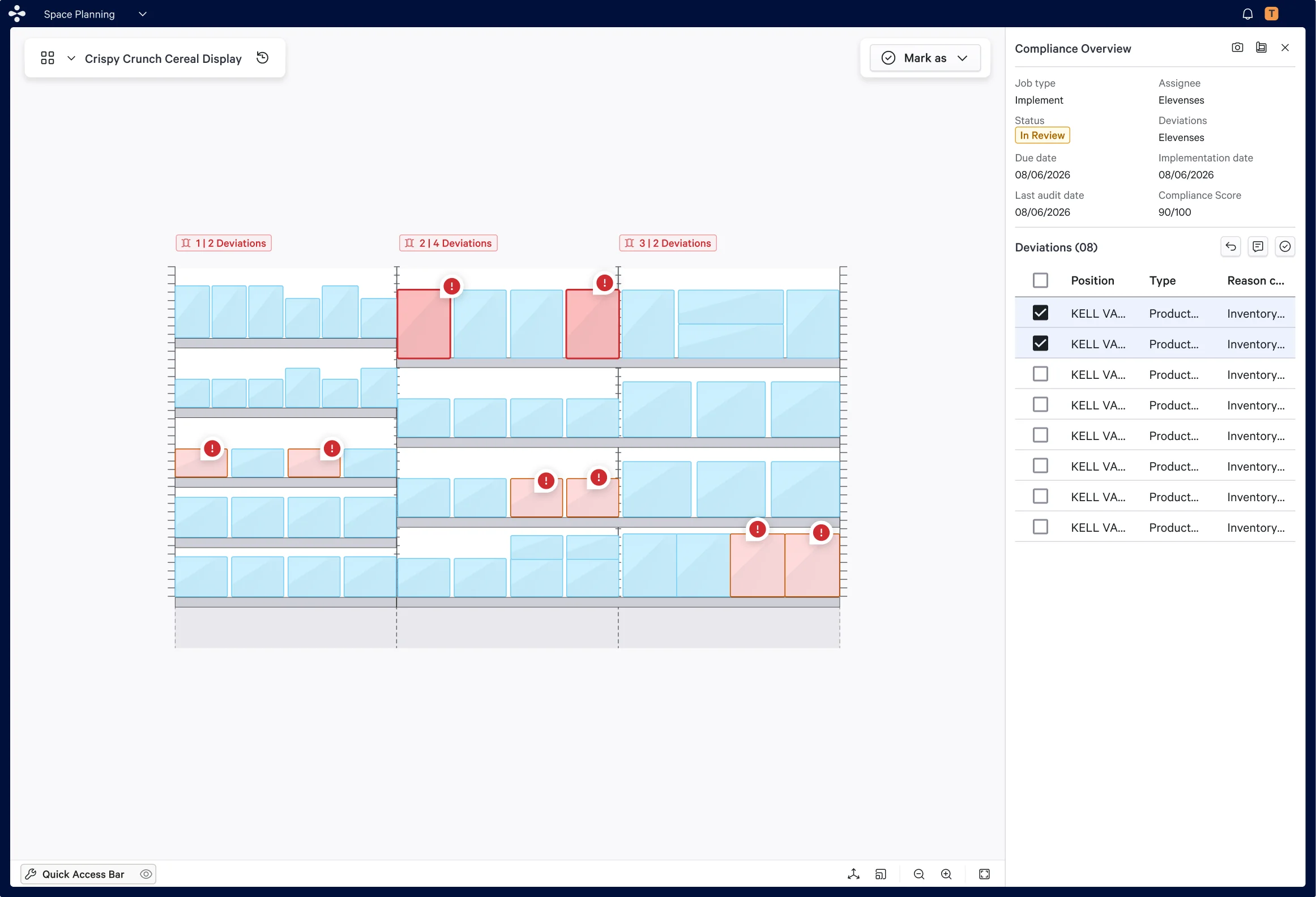
Manager Task Assignment — Desktop
The manager's task creation and assignment surface. Tasks created here propagate directly to the associate's handheld device — the upstream half of the compliance loop that the associate's task list depends on.
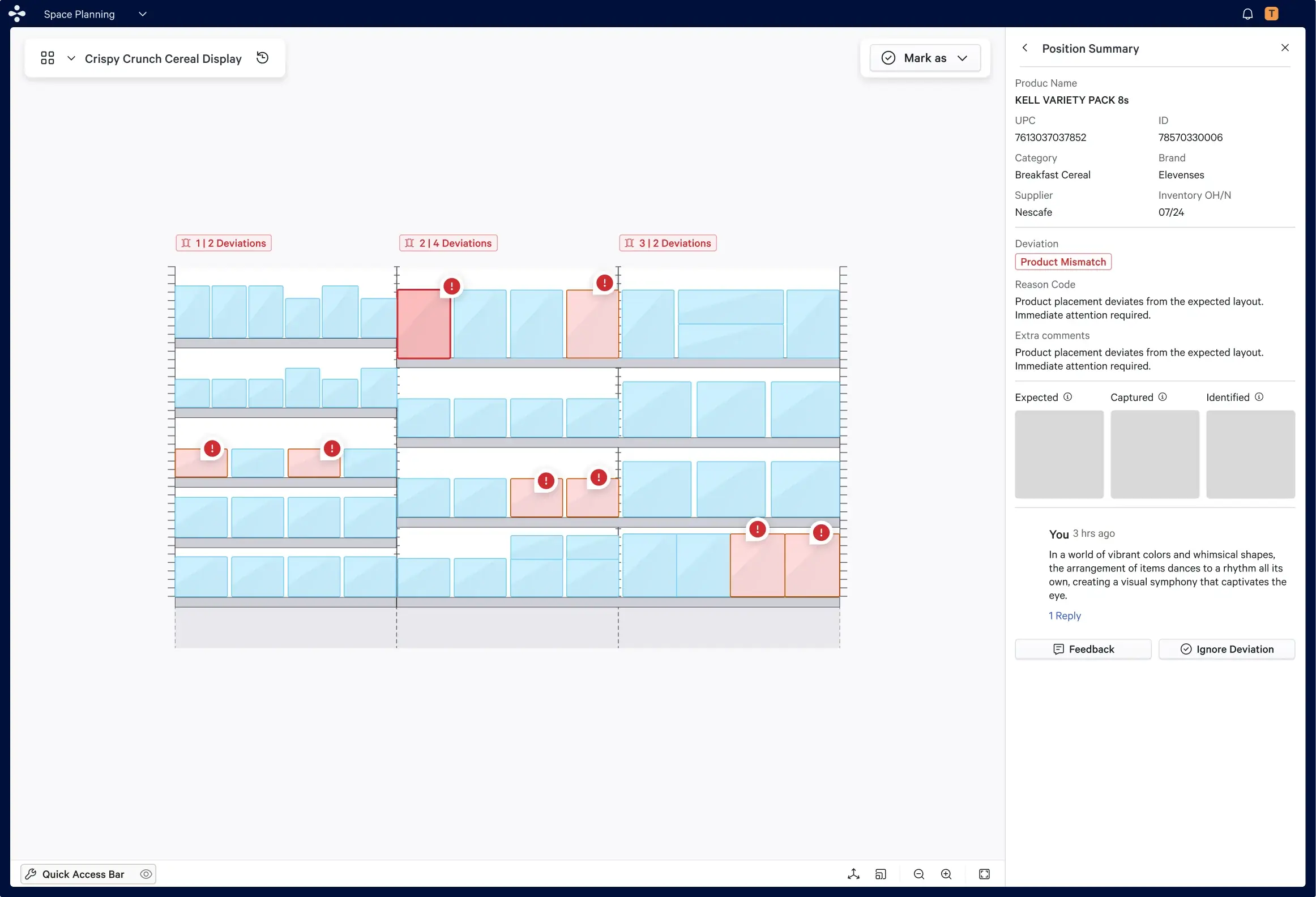
Compliance Review — Manager Queue
Submissions from the floor arrive here in real time. The manager can review the photo against the task specification, accept or flag for correction, and see live compliance status across their locations — without leaving the product.
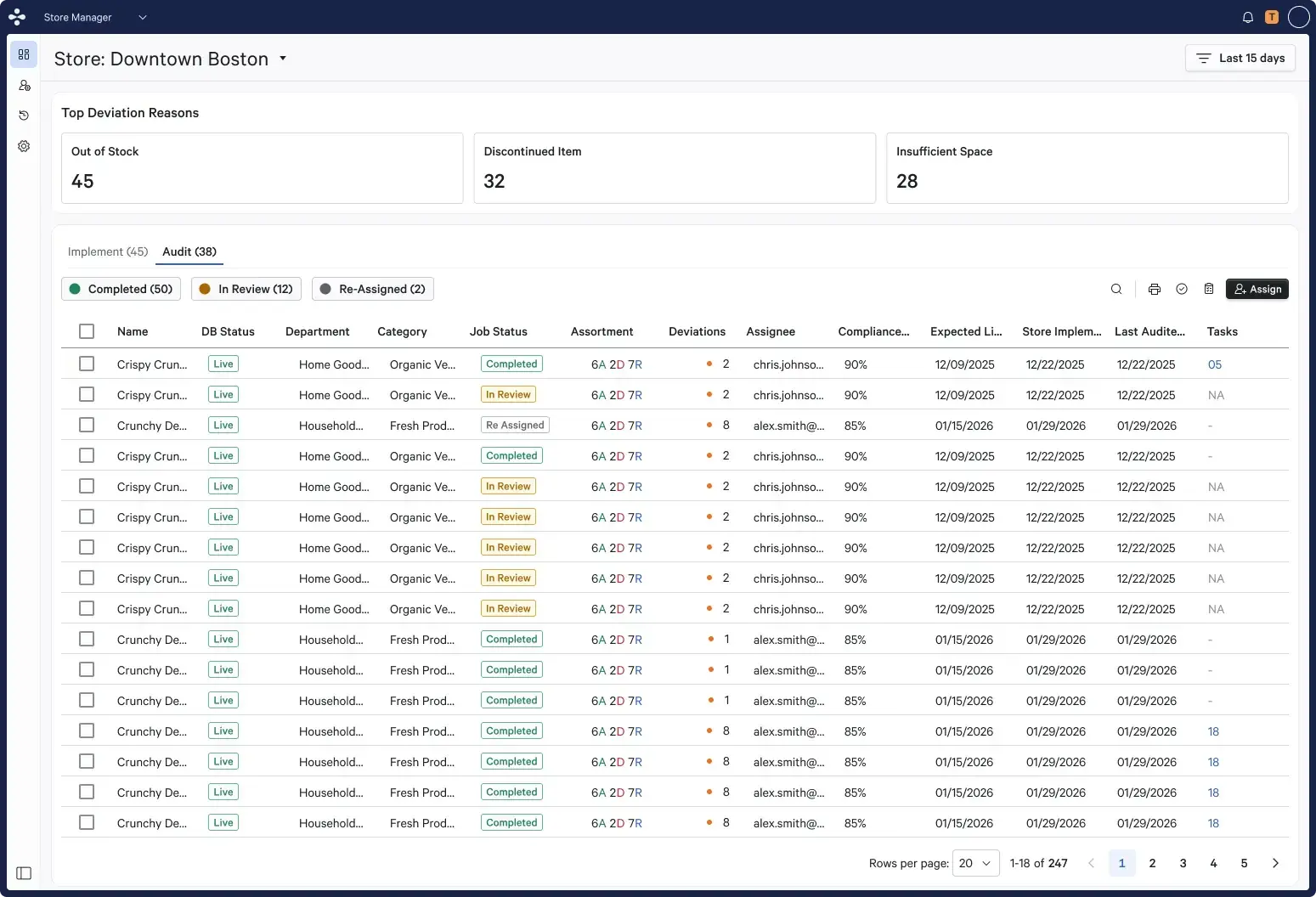
Compliance Dashboard — Portfolio View
The manager's macro view. Compliance rates across locations, task completion status by category, exception flags requiring action — all visible in real time. The operational picture that previously required manual audit cycles now available before the day ends.
05 — Multi-Persona Design
Same compliance loop. Completely different design problems.
Store Associate
HandheldThe product has to work correctly for someone who has never used it — because that person is starting today. Photo guidance embedded and specific. Submission feedback unambiguous. Every interaction designed for zero training overhead.
Goals — Zero training overhead. Task immediately legible.
Store Manager
DesktopNeeds real-time visibility into task status across their store — knowing what's been completed, what's overdue, and which submissions need review without switching tools.
Goals — Real-time task assignment and compliance visibility.
District Manager
DesktopNeeds cross-location compliance visibility — seeing completion rates, exception flags, and overdue tasks across multiple stores from a single dashboard view.
Goals — Cross-location compliance visibility across stores.
External Design Agency
External (Wakemaker)Needs a complete, transferable design system specification — component specs, interaction principles, and device-specific constraints that enable independent, consistent implementation of the Wakemaker tablet experience.
Goals — Complete design system specification for Wakemaker tablet.
06 — Impact
A compliance loop — finally in one product.
This product is currently in progress. The design work has been completed and validated with product and engineering stakeholders. The measures that will define success are already established: compliance accuracy rates on the associate side, task completion time, and manager review turnaround — the three indicators that tell you whether the workflow is actually functioning on the floor. What the design process delivered is the foundation those metrics will run on.
2
Platforms designed in parallel — desktop Storemanager-MFE (Fractal) and tablet (Wakemaker)
0→1
First unified compliance workflow product connecting both sides of the operation
1
External agency directed via design system requirements for net-new device category
3
Success metrics defined: compliance accuracy, task completion time, manager review turnaround
07 — Reflection
What I learned designing across platforms, personas, and teams.
Proudest Interaction
The associate task list view on the handheld device. It is the most constrained screen I have ever designed — every element present for a specific operational reason, nothing present for convention's sake. Designing for a user with no training, high turnover, a physical environment, and a device in their hand rather than on a desk forced a discipline I hadn't applied to that degree before. The screen is simple. Making it simple — and proving that simplicity was the correct answer — was the hard part.
Biggest Challenge
Designing two surfaces simultaneously while keeping the underlying data model coherent between them. Decisions made on the manager side had direct consequences for how data surfaced on the associate's device — and vice versa. The temptation was to optimize each surface independently. The discipline required was to always hold both ends of the workflow in view simultaneously and pressure-test each decision against its downstream effect on the other platform.
What I'd Do Differently
Define the design system requirements for the external agency earlier and more formally. The handoff requirements emerged progressively as the Wakemaker tablet scope became clearer — which meant some specifications were produced reactively rather than proactively. Starting with a complete device constraint inventory and a formal requirements document structure from day one would have produced a cleaner, more transferable handoff and reduced back-and-forth during the agency's implementation phase.
Tools & Methods
Figma · FigJam · Cross-platform workflow mapping · Persona constraint analysis · Device capability research (Wakemaker tablet) · Design system requirements documentation · External agency handoff specification · End-to-end compliance loop validation · Stakeholder review with product and engineering leads